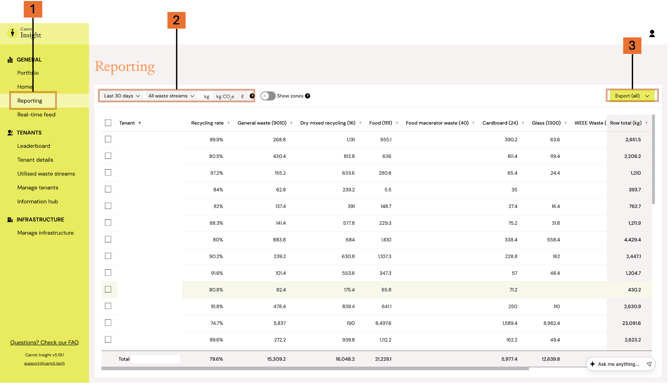
You can download and export tenant waste data in Reporting.
To do this:
- Open Reporting from the left-hand menu
- Choose the time period at the top of the page, and possibly select certain tenants by ticking of the corresponding box
- Click Export in the top right corner
The report can be downloaded as a .csv or .xls file.
This can be useful for:
- sustainability/waste reporting
- further analysis
- internal follow-up
- sharing results with tenants