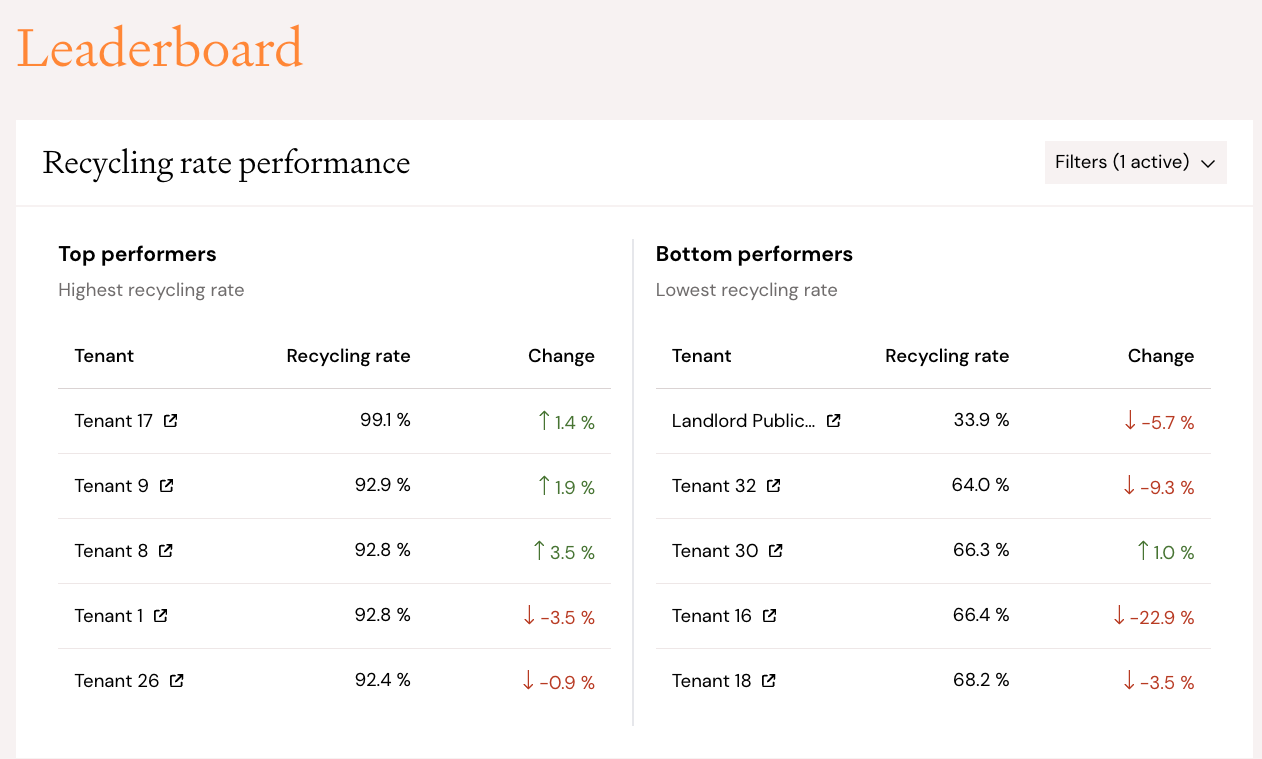
You can compare tenants in Carrot Insight by using Leaderboard and Tenant details.
The Leaderboard overview gives you insight in top and bottom performers in terms of recycling rate and amount of general waste. You can adjust the time period filter for these lists to last 30 days, last 6 months, or last 12 months.
You can compare a tenant's performance amongst the building and/or industry average by navigating to Tenant details and clicking on a tenant. You can also filter by time period to narrow your analysis.