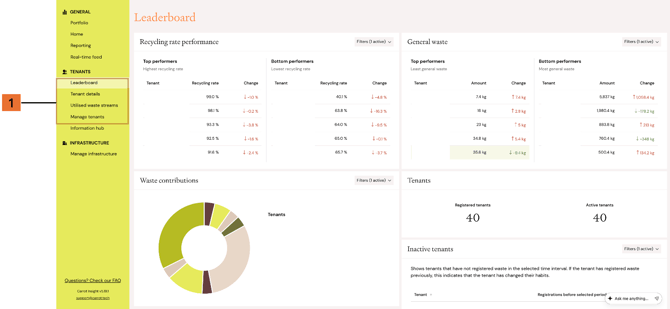
You can access tenant waste data in Carrot Insight through pages such as Leaderboard, Tenant details, Reporting, and Utilised waste streams.
Each page gives you a different type of insight:
-
Leaderboard gives you an overview of tenant performance and makes it easier to compare tenants
-
Tenant details shows more detailed data for one tenant
-
Reporting lets you filter by time period, waste stream, and unit of measurement, and export data
-
Utilised waste streams helps you review which waste streams are being used by the different tenants
These views help you review tenant performance, compare waste data, and identify areas for follow-up.
To get started, open the relevant page from the left-hand menu in Carrot Insight and use the available filters to adjust the view.