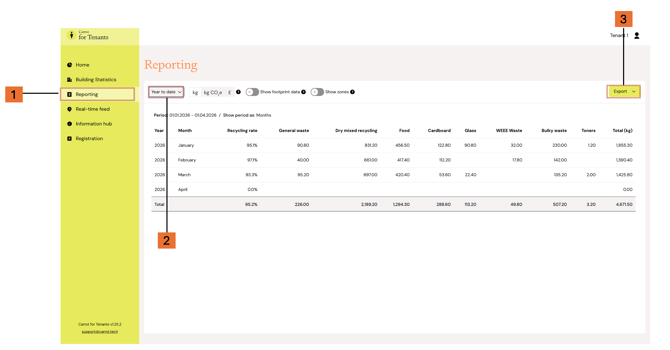
You can view historical waste data in Carrot Insight by using Reporting.
To do this:
- Open Reporting in the left-hand menu
- Choose the time period in the top left corner (e.g. “Year to date” or enter a custom time period)
- You can also select unit of measurement (kg or kg CO₂e)
- Toggle footprint data or zones if needed
You can use the time filter to view:
- year-to-date data
- a custom time range
- longer-term trends for your company
To download the data:
3. Click Export (top right)-
- Choose .csv or .xls
This is useful when you want to review past performance or prepare for follow-up.