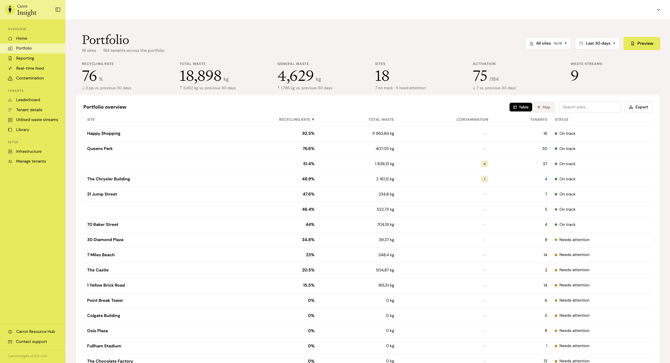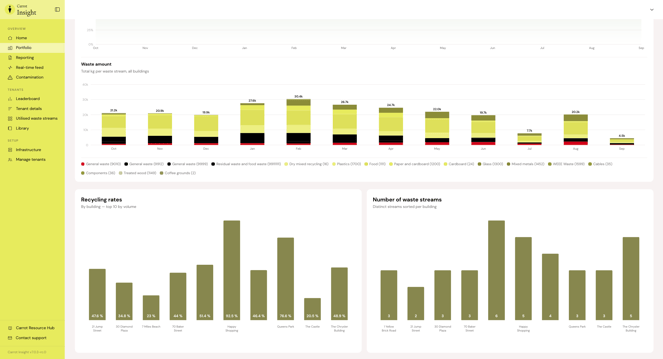
The Portfolio page gives you a combined overview of how all your buildings are performing, compared to each other and over time.
Here you can:
- see sorting rate, total waste volume, sorting errors, and activation for the entire portfolio
- see a table with all buildings, showing sorting rate, waste volume, sorting errors, number of tenants, and status
- search and sort the table, and export it as needed
- track the portfolio's development over time, both sorting rate and waste volume by type
- compare buildings directly, for example which ones have the highest sorting rate or use the most waste types
- sort for different list of buildings
The Portfolio page is the place to start if you want to see which buildings need follow-up, and which ones are doing well.